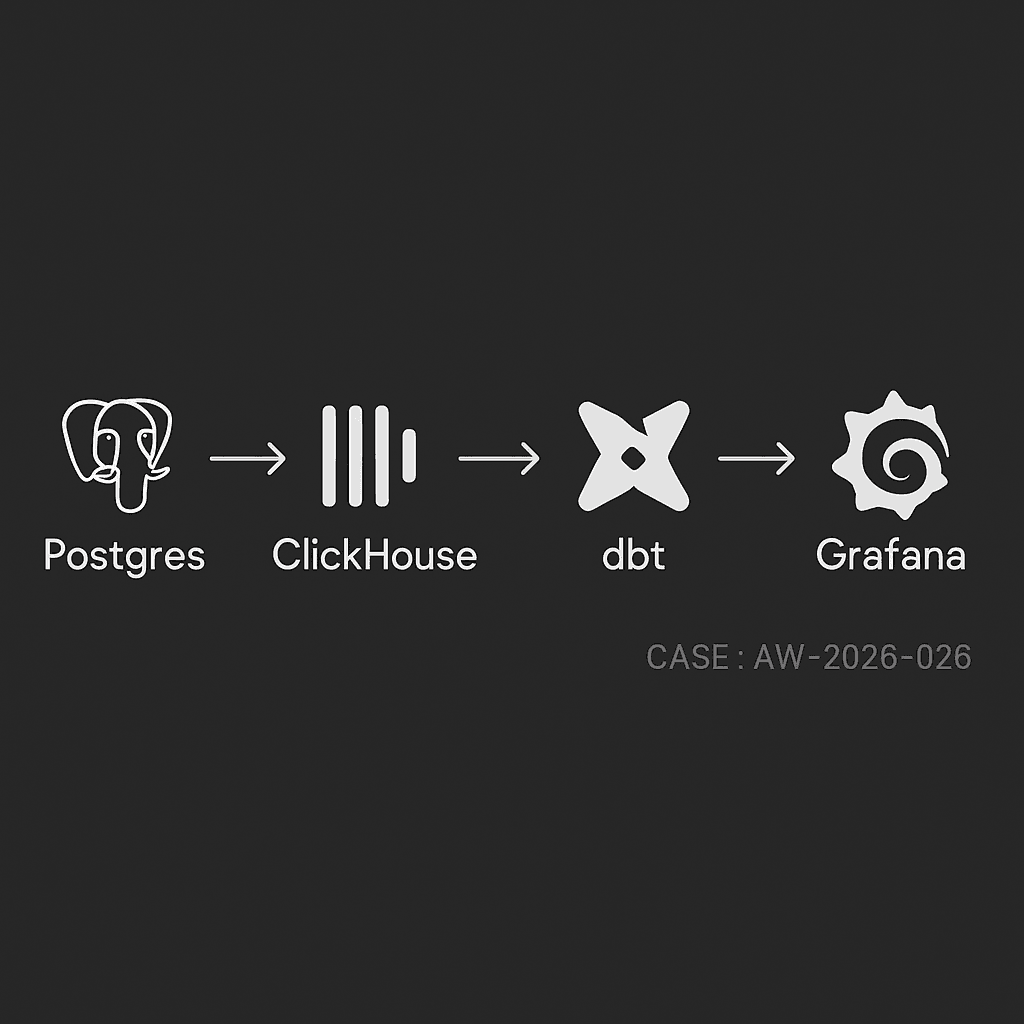
If you run your app on Postgres and need sub-second analytics without crushing OLTP, this stack works reliably in production:
– Ingest: Postgres → ClickHouse (MaterializedPostgreSQL or Kafka + Debezium)
– Transform: dbt (dbt-clickhouse)
– Serve: Grafana dashboards + alerts
Use cases
– Funnel and retention analysis
– Feature usage and cohort metrics
– Operational dashboards (latency, errors, throughput)
– Finance-lite rollups (orders, MRR, refunds)
Reference architecture
– Source DB: Postgres 14+ on managed cloud (RDS/Cloud SQL)
– Analytics store: ClickHouse Cloud or self-managed cluster
– Replication: ClickHouse MaterializedPostgreSQL (for simplicity) or Kafka (for multi-sink / heavy transforms)
– Transform: dbt runner (GitHub Actions, Dagster, or Airflow)
– Viz: Grafana with ClickHouse plugin
– Storage/lineage: S3/GCS parquet exports (optional but recommended)
– Secrets: environment or Vault; network via PrivateLink/VPC peering
Table design in Postgres
– Prefer narrow event table + dimension tables
– Use UUID or bigint IDs; avoid wide JSONB for hot paths
– For events:
– event_id (UUID, PK)
– user_id
– occurred_at (timestamptz)
– event_name (text)
– properties (jsonb) — sparse, normalized over time
– For orders/subscriptions:
– immutable facts + status changes as events
– avoid in-place updates on hot rows
ClickHouse schema (denormalized for reads)
– Use MergeTree with time + shard key
– Example:
– Add projections or materialized views for frequent queries (daily rollups, funnels)
Option A: Direct Postgres → ClickHouse via MaterializedPostgreSQL
Good when you control Postgres and schema churn is moderate.
Steps
1) Enable logical replication in Postgres:
– rds.logical_replication = 1 (RDS) or wal_level = logical
– Create a replication user with REPLICATION
2) In ClickHouse:
3) Hydrate analytics tables from the replicated ones:
CREATE TABLE analytics.events AS
SELECT
event_id,
user_id::String,
event_name,
occurred_at,
properties as properties_json
FROM pg_repl.events
ENGINE = MergeTree
PARTITION BY toYYYYMM(occurred_at)
ORDER BY (event_name, occurred_at, user_id);
Notes
– MaterializedPostgreSQL tails WAL and applies row-level changes
– For deletes/updates, ensure primary keys exist in Postgres
– For high write volume, separate heavy tables into their own ClickHouse databases to parallelize apply
Option B: Postgres → Kafka (Debezium) → ClickHouse
Use when you need multi-sink, schema registry, or custom buses.
– Debezium captures CDC to Kafka with Avro/JSON schema
– ClickHouse reads via Kafka engine + materialized views
– Handle upserts with ReplacingMergeTree or CollapsingMergeTree keyed by primary_id + version/flag
dbt transforms (dbt-clickhouse)
– Create semantic models and rollups; keep them small and incremental
– Example model: sessions_daily.sql
WITH sessions AS (
SELECT
user_id,
toStartOfDay(occurred_at) AS session_day,
countIf(event_name = ‘session_start’) AS starts,
countIf(event_name = ‘session_end’) AS ends
FROM {{ source(‘analytics’, ‘events’) }}
{% if is_incremental() %}
WHERE occurred_at >= date_sub(day, 3, today())
{% endif %}
GROUP BY user_id, session_day
)
SELECT
concat(user_id, ‘_’, toString(session_day)) AS session_day_user,
user_id,
session_day,
starts,
ends
FROM sessions;
– Schedule:
– Small models every 5 minutes
– Heavy rollups hourly
– Backfills in off-peak
Grafana dashboards
– Install ClickHouse data source
– Panels:
– Events per minute with 1m/5m rollups
– DAU/WAU/MAU with asof joins
– Feature adoption by cohort week
– p50/p95 latency by endpoint
– Error rate by service/version
– Add alert rules on thresholds (error_rate > 2%, DAU drop > 20% d/d)
Performance and cost tips
– ClickHouse:
– Partition by month, order by (event_name, occurred_at, user_id)
– Use LowCardinality for strings
– Keep JSON for long tail props, but extract top N to typed columns for filters
– Set max_threads per query; use quotas for noisy tenants
– dbt:
– Favor incremental + small windows
– Stage raw to clean, then marts; limit cross-joins
– Postgres:
– Keep CDC slot monitored; alert on replication lag
– Index primary keys; avoid mass vacuum stalls
– Storage:
– TTL old raw events to S3 via ClickHouse S3 TTL or periodic exports
– Costs:
– Use ClickHouse Cloud autoscaling with sane concurrency caps
– Compress JSON and avoid SELECT *
Reliability and ops
– Health checks:
– Replication delay (Postgres WAL LSN vs ClickHouse apply lag)
– Kafka consumer lag (if using Debezium)
– dbt run success rates and duration SLAs
– Schema changes:
– Additive first (new columns), then backfill, then drop
– Use dbt contracts/tests and column-level lineage
– Dedupe:
– For CDC upserts, use ReplacingMergeTree with a version column
– For at-least-once ingestion, dedupe on event_id in dbt staging
– Backfills:
– Snapshot Postgres to S3 (pg_dump or logical snapshot), bulk copy into ClickHouse, then reattach WAL
Security
– Restrict replication role to specific DB and tables
– Private networking between services
– Rotate secrets; limit Grafana viewer vs editor roles
– PII handling: hash/email_tokenize in ingestion; store raw PII in a separate restricted table
Quick start checklist
– Stand up ClickHouse Cloud and Grafana
– Enable Postgres logical replication
– Create MaterializedPostgreSQL database in ClickHouse
– Define analytics.events table and initial projections
– Configure dbt-clickhouse; build staging and marts
– Publish Grafana dashboards and alerts
– Add monitors for lag, error rates, and costs
What this delivers
– Sub-second reads on billions of events
– Minimal load on Postgres OLTP
– Clear, versioned transforms
– Actionable dashboards and alerts for product and ops