Headless WordPress vs Traditional WordPress: What LA Businesses Need to Know
If you own a business in Los Angeles and your website runs on WordPress, you have probably been told at some point that you should “go headless.” Maybe by a developer, maybe by a vendor, maybe by a Medium article that made the architecture sound like the difference between a Ferrari and a sedan.
The truth is more boring and more useful: headless WordPress is the right answer for some businesses and overkill for others. This article explains the actual difference, when each one wins, and what it costs you to change your mind later.
Traditional WordPress, in plain language
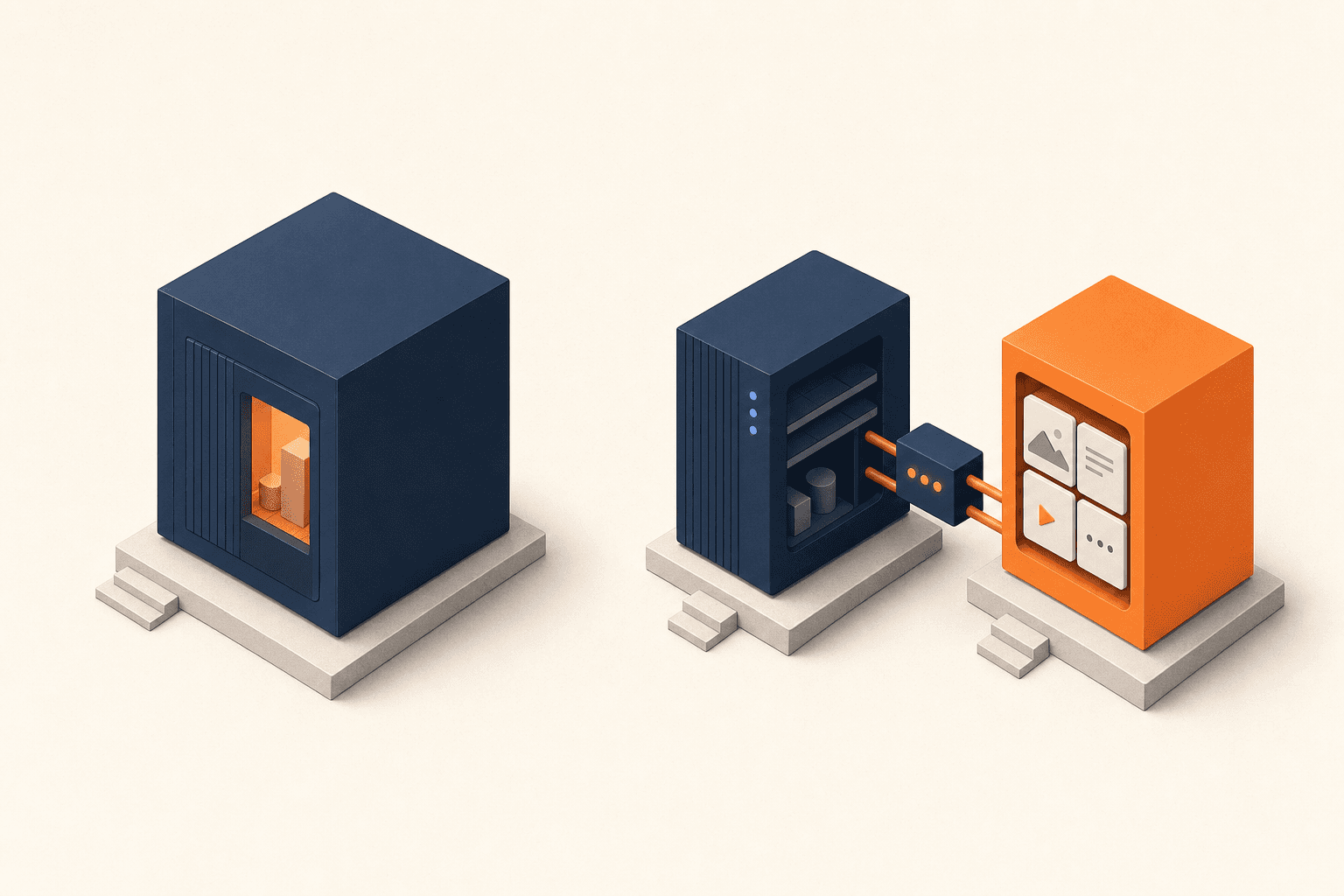
In a traditional WordPress site, the same software does everything. Your editors log into yoursite.com/wp-admin, write a page, hit publish. WordPress saves it to a MySQL database. When a visitor lands on the page, WordPress reads from the database, runs your theme’s PHP templates, mixes in any plugins, and produces an HTML page on the fly.
This is what 43% of the web runs on. It works. It is well understood. It has a massive ecosystem of themes, plugins, and developers who know it. For a brochure site, a small business presence, or a content-heavy blog, traditional WordPress is the right choice and trying to over-engineer it is a waste of your money.
Headless WordPress, in plain language
In a headless setup, WordPress only handles the back of the house. Editors still log into wp-admin and write pages the way they always have. But the public website — the part visitors actually see — is a separate application built in a modern frontend framework like Next.js or Astro. That frontend pulls content from WordPress through the REST API (or GraphQL) and renders it however it wants, on its own server.
You still get WordPress for editing. You no longer get WordPress for rendering. The “head” — the public-facing presentation layer — is somewhere else.
What you actually gain
Three things tend to matter to real businesses:
Speed. A well-built Next.js or Astro frontend serves static HTML for most page loads. No PHP, no database query, no plugin chain. The first paint happens in a few hundred milliseconds rather than a few seconds. For a business with paid traffic, this is not a vanity metric — it directly affects bounce rates and ad conversion costs.
Design freedom. WordPress themes are powerful but they push you toward a certain shape. A custom frontend lets your designers do whatever they want — animations, complex layouts, micro-interactions — without fighting the theme system. If your brand is part of your competitive edge, this is significant.
Security surface reduction. The wp-admin URL can be moved to a subdomain that is not in any search engine’s index and only your team’s IPs can reach. The public site does not run PHP, does not load plugins, and is not a target for the usual WordPress exploit traffic.
What you actually give up
This is the part most articles skip.
Preview becomes harder. In traditional WordPress, an editor hits “preview” and immediately sees the page exactly as it will publish. In a headless setup, preview requires extra plumbing — usually a draft API endpoint and a preview build of the frontend. It works, but it is not free.
Most page-builder plugins stop working. Elementor, Divi, Beaver Builder — all of them generate HTML and CSS at render time, on the WordPress side. If your frontend is not rendering WordPress’s HTML, those builders are not building anything anyone will see. You will be writing real components in code, or using a CMS-side block editor with a custom frontend renderer.
Hosting gets more complex. Two servers instead of one: the WordPress backend somewhere (often shared hosting or a small VPS) and the Node-based frontend somewhere else (a VPS, Vercel, Netlify). Two environments to monitor. Two SSL certs. Two deploy pipelines. For a small team this is a real ongoing tax.
Some plugins become irrelevant. SEO plugins like Yoast still help in wp-admin, but a lot of what they do — generating meta tags, sitemaps, schema — has to be reimplemented or replaced on the frontend. The plugin marketplace assumption breaks.
The honest decision tree
For a Los Angeles business deciding between the two, here is the test we use:
- Less than 5,000 visitors a month, brochure site, small content needs: Traditional WordPress. Caching plugin, decent host, done. Going headless will cost you more than you save.
- You spend money on paid acquisition and care about conversion rates: Headless is worth a serious look. The page-load improvement alone often pays for the rebuild within a year.
- You have a complex content team using Yoast, ACF, and editorial workflows: Headless, but keep WordPress as the CMS. Your editors do not need to know anything changed. They keep working in wp-admin.
- You have heavy custom functionality (members area, e-commerce, complex forms): Almost always traditional WordPress with WooCommerce or a learning management plugin, unless you are large enough to staff a real engineering team.
- You are starting fresh and care about brand presentation: Headless from day one. Going from traditional to headless later is expensive; starting headless is not.
What about hybrid?
There is a third option people forget: keep your main site traditional, and put a separate headless application on a subdomain for specific high-traffic or high-design pages. The marketing site stays on WordPress. The product, the pricing page, or the lead-generation flow lives in Next.js. Editors do not have to learn anything new for the main site, and the conversion-critical pages get the speed boost.
This is what most pragmatic small businesses end up doing. It is also what we build most often.
What it costs to change your mind
The good news: WordPress is a stable target. Content created in WordPress today is portable across both architectures. If you start with traditional WordPress and decide a year from now that you want a headless frontend, you keep all your content and just add the frontend application. No migration. No data loss.
That asymmetry is why we usually tell smaller LA businesses to start traditional and add the headless layer when there is a specific reason — a slow conversion page, a paid traffic problem, a design ambition — that justifies the second piece of infrastructure.
The technology should follow the business problem, not the other way around.
Calculate Your AI ROI
Curious how these numbers look for your own team? Use the calculator below to estimate how much time and money you can save by automating your most repetitive workflows.
On repetitive admin, intake, or data entry.
Use a conservative estimate until a workflow audit confirms what is safe to automate.
The Impact
Keep reading
- May 18, 2026Why Los Angeles Law Firms Are Replacing Web Forms with AI Intake AssistantsWalk into most law firm websites in Los Angeles and you find the same thing: a polished header, a few practice-area page…
- August 31, 2026Beyond Chatbots: How LA Businesses Are Really Using AI in 2026When most small and medium-sized business owners in Los Angeles hear “AI,” their minds immediately jump to conversationa…
- May 18, 2026When Does a Business Need Django Instead of WordPress?Most Los Angeles businesses do not need Django. Most Los Angeles businesses need WordPress, possibly with a few custom p…