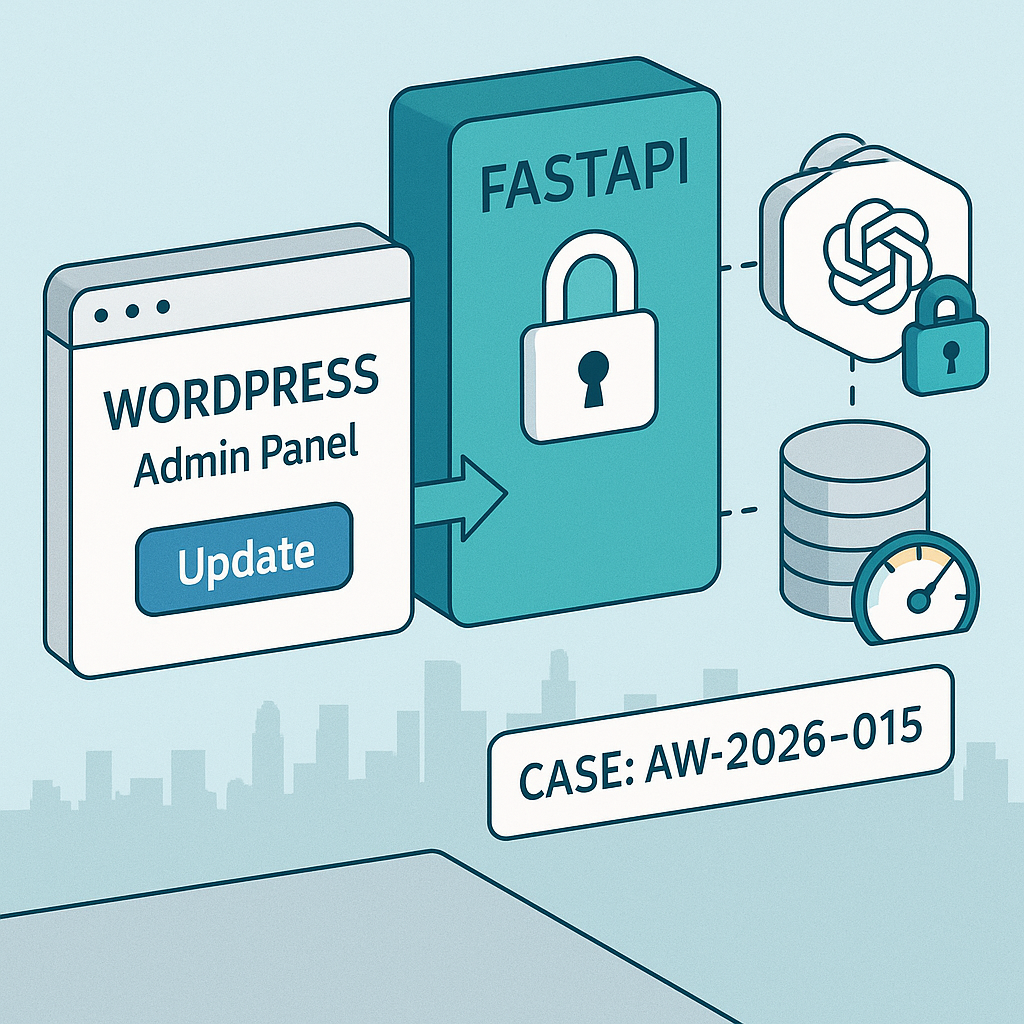
Overview
Goal: Generate post summaries in WordPress using a secure backend AI service. We’ll build:
– A FastAPI AI gateway that wraps OpenAI, enforces per-site keys, rate limits, and logs requests.
– A minimal WordPress plugin that adds a “Generate Summary” button in the editor, calling your server from PHP (not the browser).
Why this pattern
– No OpenAI keys in the browser.
– Central rate limiting, cost controls, and observability.
– Versionable, testable, swappable models.
Architecture
– WordPress (admin): Button → wp_ajax action (server-side) → FastAPI gateway → OpenAI API.
– FastAPI: Verifies X-Client-Key, applies rate limits, logs to SQLite/Postgres, proxies to OpenAI.
– Optional: Redis for tighter rate limits; Docker for deploys.
Prereqs
– Python 3.11+, Node not required.
– WordPress 6.3+ (Classic or Block editor).
– OpenAI API key stored only on the server.
– Optional: Docker, Redis.
1) FastAPI AI Gateway
Create project
– mkdir ai-gateway && cd ai-gateway
– python -m venv .venv && source .venv/bin/activate
– pip install fastapi uvicorn httpx pydantic python-dotenv slowapi sqlalchemy aiosqlite
.env (do not commit)
– OPENAI_API_KEY=sk-…
– CLIENT_KEYS=siteAkey123,siteBkey456
– MODEL=gpt-4o-mini
– LOG_DB=sqlite+aiosqlite:///./logs.db
– RATE_LIMIT=30/minute
main.py
– A secure proxy with per-site key auth, rate limit, logging, and basic cost tracking.
from fastapi import FastAPI, Header, HTTPException
from fastapi.middleware.cors import CORSMiddleware
from pydantic import BaseModel
from slowapi import Limiter
from slowapi.util import get_remote_address
from slowapi.errors import RateLimitExceeded
import httpx, os, time, json, asyncio
from sqlalchemy.ext.asyncio import create_async_engine, AsyncSession
from sqlalchemy import text
from sqlalchemy.orm import sessionmaker
OPENAI_API_KEY = os.getenv(“OPENAI_API_KEY”)
CLIENT_KEYS = set([k.strip() for k in os.getenv(“CLIENT_KEYS”,””).split(“,”) if k.strip()])
MODEL = os.getenv(“MODEL”,”gpt-4o-mini”)
LOG_DB = os.getenv(“LOG_DB”,”sqlite+aiosqlite:///./logs.db”)
RATE_LIMIT = os.getenv(“RATE_LIMIT”,”30/minute”)
limiter = Limiter(key_func=get_remote_address, default_limits=[RATE_LIMIT])
app = FastAPI()
app.state.limiter = limiter
app.add_exception_handler(RateLimitExceeded, lambda r, e: ({“detail”:”rate_limited”}, 429))
app.add_middleware(
CORSMiddleware,
allow_origins=[],
allow_credentials=False,
allow_methods=[“POST”],
allow_headers=[“*”],
)
engine = create_async_engine(LOG_DB, future=True, echo=False)
SessionLocal = sessionmaker(engine, expire_on_commit=False, class_=AsyncSession)
async def init_db():
async with engine.begin() as conn:
await conn.execute(text(“””
CREATE TABLE IF NOT EXISTS logs (
id INTEGER PRIMARY KEY AUTOINCREMENT,
ts REAL,
client_key TEXT,
model TEXT,
prompt_tokens INTEGER,
completion_tokens INTEGER,
cost_usd REAL
)”””))
@app.on_event(“startup”)
async def on_startup():
await init_db()
class ChatMessage(BaseModel):
role: str
content: str
class ChatRequest(BaseModel):
messages: list[ChatMessage]
temperature: float | None = 0.3
model: str | None = None
max_tokens: int | None = 256
def estimate_cost(model:str, prompt_tokens:int, completion_tokens:int)->float:
# Simple placeholder; adjust with vendor pricing
return (prompt_tokens*0.000001 + completion_tokens*0.000002)
@app.post(“/v1/chat/completions”)
@limiter.limit(RATE_LIMIT)
async def chat_completions(payload: ChatRequest, x_client_key: str = Header(default=””)):
if not x_client_key or x_client_key not in CLIENT_KEYS:
raise HTTPException(status_code=401, detail=”invalid_client_key”)
model = payload.model or MODEL
body = {
“model”: model,
“messages”: [m.dict() for m in payload.messages],
“temperature”: payload.temperature,
“max_tokens”: payload.max_tokens
}
async with httpx.AsyncClient(timeout=60) as client:
r = await client.post(
“https://api.openai.com/v1/chat/completions”,
headers={“Authorization”: f”Bearer {OPENAI_API_KEY}”},
json=body
)
if r.status_code >= 400:
raise HTTPException(status_code=r.status_code, detail=r.text)
data = r.json()
# basic token extraction (vendor-dependent)
usage = data.get(“usage”, {}) or {}
pt = usage.get(“prompt_tokens”, 0)
ct = usage.get(“completion_tokens”, 0)
cost = estimate_cost(model, pt, ct)
async with SessionLocal() as s:
await s.execute(
text(“INSERT INTO logs (ts, client_key, model, prompt_tokens, completion_tokens, cost_usd) VALUES (:ts,:ck,:m,:pt,:ct,:c)”),
{“ts”: time.time(), “ck”: x_client_key, “m”: model, “pt”: pt, “ct”: ct, “c”: cost}
)
await s.commit()
return data
Run locally
– uvicorn main:app –host 0.0.0.0 –port 8080
2) Dockerize (optional)
Dockerfile
FROM python:3.11-slim
WORKDIR /app
COPY requirements.txt .
RUN pip install –no-cache-dir -r requirements.txt
COPY . .
ENV PYTHONUNBUFFERED=1
CMD [“uvicorn”,”main:app”,”–host”,”0.0.0.0″,”–port”,”8080″]
requirements.txt
fastapi
uvicorn
httpx
pydantic
python-dotenv
slowapi
sqlalchemy
aiosqlite
Build/run
– docker build -t ai-gateway:latest .
– docker run -p 8080:8080 –env-file .env ai-gateway:latest
3) WordPress plugin (admin-only button)
Create wp-content/plugins/ai-summary/ai-summary.php
ID, ‘_ai_summary’, true);
wp_nonce_field(‘ai_summary_action’, ‘ai_summary_nonce’);
echo ‘
‘;
echo ‘
‘;
?>
(function(){
document.getElementById(‘ai-generate-summary’).addEventListener(‘click’, function(e){
e.preventDefault();
const btn=this; btn.disabled=true; btn.textContent=’Generating…’;
const data = new FormData();
data.append(‘action’,’ai_generate_summary’);
data.append(‘post_id’,’ID); ?>’);
data.append(‘ai_summary_nonce’,”);
fetch(ajaxurl, { method:’POST’, credentials:’same-origin’, body:data })
.then(r=>r.json()).then(j=>{
if(j.success){ document.getElementById(‘ai_summary’).value=j.data.summary; }
else { alert(j.data || ‘Error’); }
}).catch(()=>alert(‘Request failed’)).finally(()=>{btn.disabled=false; btn.textContent=’Generate Summary’;});
});
})();
post_content);
$messages = [
[“role”=>”system”,”content”=>”You summarize WordPress posts for busy readers. 3-4 sentences, neutral tone.”],
[“role”=>”user”,”content”=>”Summarize:nn”.$content]
];
$body = json_encode([
“model” => null,
“temperature” => 0.2,
“max_tokens” => 220,
“messages” => $messages
]);
$args = [
‘headers’ => [
‘Content-Type’ => ‘application/json’,
‘X-Client-Key’ => $client_key
],
‘body’ => $body,
‘timeout’ => 30,
‘method’ => ‘POST’
];
$res = wp_remote_post($gateway_url, $args);
if (is_wp_error($res)) wp_send_json_error(‘Gateway error’, 500);
$code = wp_remote_retrieve_response_code($res);
$resp = json_decode(wp_remote_retrieve_body($res), true);
if ($code >= 400 || !isset($resp[‘choices’][0][‘message’][‘content’])) {
wp_send_json_error(‘AI error’, 500);
}
$summary = sanitize_textarea_field($resp[‘choices’][0][‘message’][‘content’]);
update_post_meta($post_id, ‘_ai_summary’, $summary);
wp_send_json_success([‘summary’=>$summary]);
});
4) Configure environment on WordPress host
– In wp-config.php (or server env), set:
– putenv(‘AI_GATEWAY_URL=https://your-api.example.com/v1/chat/completions’);
– putenv(‘AI_GATEWAY_CLIENT_KEY=siteAkey123’);
– Do not hardcode secrets in the plugin.
– Restrict ajax action to admins/editors via capability checks (already included).
5) Test locally
– Start FastAPI.
– In WP admin, edit a post → AI Summary box → Generate Summary.
– Check FastAPI logs table: sqlite file logs.db should show entries.
6) Production considerations
– HTTPS only. Put the gateway behind a CDN/WAF (IP allowlists optional).
– Rate limits per key via slowapi; adjust RATE_LIMIT env.
– Rotate CLIENT_KEYS regularly; store in secret manager.
– Logging: move from SQLite to Postgres (LOG_DB=postgresql+asyncpg://…).
– Add retry and circuit breaker to WordPress (e.g., increase timeout, handle 429 gracefully).
– Model control: pin model in env; add allowlist in gateway.
– Token/cost guardrails: enforce max_tokens and max prompt length in FastAPI.
– Observability: ship logs to OpenTelemetry/Prometheus; alert on spikes.
7) Optional enhancements
– Add /health and /usage endpoints to inspect quotas.
– Caching summaries by post hash to avoid re-billing unchanged content.
– Stream responses (server-sent events) to show progress in the admin UI.
– Add multilingual system prompts per site.
Quick smoke test (curl)
curl -s -X POST https://your-api.example.com/v1/chat/completions
-H “Content-Type: application/json”
-H “X-Client-Key: siteAkey123”
-d ‘{“messages”:[{“role”:”user”,”content”:”Say hi”}]}’ | jq .
You now have a secure, rate-limited AI summary workflow wired into WordPress with a backend you control.

This is a fantastic, production-ready architecture for securely integrating AI into WordPress. Have you considered how you might handle different AI models or providers through the same gateway?
Good question—how are you thinking about routing between providers/models in the gateway: per-site configuration, a per-request parameter from WordPress, or something like feature flags/rollouts on the FastAPI side?
A simple way to keep it flexible without a rewrite is to add a thin `ProviderClient` interface (e.g., `summarize(text, model, options)`) and a small model/provider registry that maps names like `openai:gpt-4o-mini` or `anthropic:claude-…` to the right implementation. That keeps the WordPress plugin mostly unaware of vendors while still letting you control defaults and allowlists centrally.
That’s a helpful direction. When you picture model/provider selection, do you want WordPress to always use a per-site default (set once in the gateway), or should each “Generate Summary” call be able to pass a requested model (with the gateway enforcing an allowlist)?
A lightweight registry/adapter layer like you described tends to work well: keep the request shape stable (e.g., `task=summarize` + options), then resolve `{site_id → default_model}` unless an explicit model is provided and permitted. It also makes it easier to introduce gradual rollouts on the FastAPI side later without changing the plugin.
One detail I’m curious about: do you want model selection to be a per-site default (configured once in the gateway), or do you expect WordPress to request a specific model per “Generate Summary” call? A nice middle ground is to accept an allowlisted `model` parameter (or even a higher-level `tier=standard|premium`) and have the gateway map that to concrete provider/model IDs, with the ability to do rollouts or overrides gateway-side. That keeps the plugin stable while you retain control over cost, compatibility, and gradual migrations.
That middle-ground approach of mapping an abstract `tier` parameter in the gateway is an elegant solution for maintaining both flexibility and control.
Do you see model/provider selection as a per-site default set in the gateway, or something WordPress can request per “Generate Summary” call? A pragmatic middle ground is to let the plugin send a simple `tier=standard|premium` (or an optional `model`), and have the FastAPI gateway enforce an allowlist and map that to concrete provider/model IDs. That keeps the WP side stable while you retain control over costs, compatibility, and safe rollouts/migrations.
That’s an elegant solution for keeping the plugin stable while retaining full control and flexibility at the gateway.