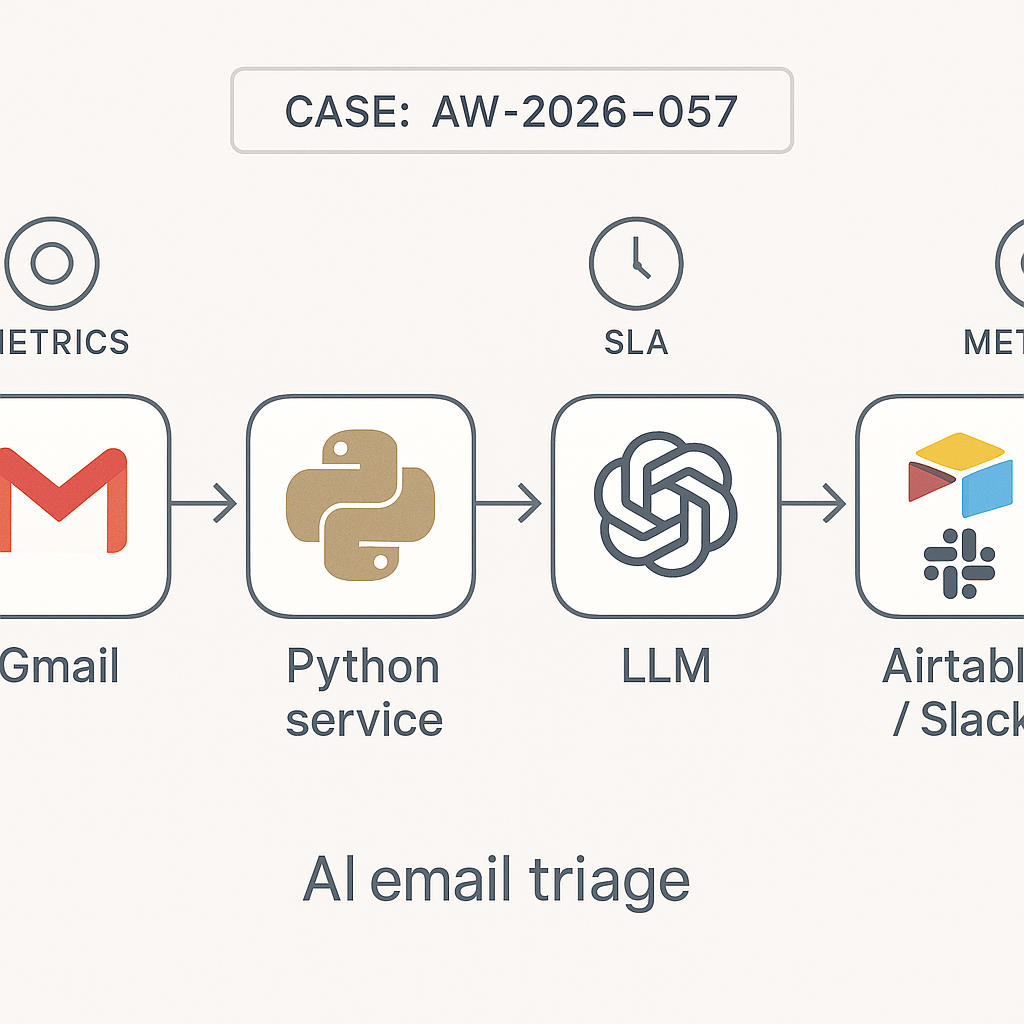
Overview
Most SMBs lose money in the inbox: late replies, dropped leads, and manual copying into CRMs. This post shows how to deploy an AI triage router that classifies emails, extracts fields, assigns ownership, and generates first responses. Stack uses Gmail API, a lightweight Python service, an LLM, Slack for notifications, and Airtable as the system of record.
Target outcomes
– Classify inbound messages into 6-10 business-specific buckets
– Extract structured fields with >95% precision on core attributes
– Auto-acknowledge within 2 minutes, human follow-up within SLA
– Track cycle time and conversion in Airtable
Reference architecture
– Ingestion: Gmail API watch + Pub/Sub (or AWS SES/SNS) pushes new email IDs
– Processing: Python service (Cloud Run/Lambda) pulls raw MIME, normalizes text, strips signatures/footers
– Reasoning: LLM call (gpt-4.1-mini or Claude Haiku) with tool-free JSON output
– Persistence: Airtable (Tickets table), plus Redis queue for retries
– Notification: Slack webhook (team channel + assignee DM)
– Controls: Policy engine (PII redaction), rate limiting, eval harness
– Observability: BigQuery or Postgres for logs; Grafana/Looker dashboards
Airtable schema (minimal)
– Tickets: ticket_id, source, received_at, status, category, priority, customer_email, company, subject, summary, due_at, assignee, confidence, fields_json, reply_draft, url
– Categories: id, name, routing_rule, sla_minutes
– Agents/Assignees: id, name, slack_id, skill_tags, workload_score
LLM extraction targets
– category (enum): lead, support, billing, vendor, spam, career, legal, other
– intent: short verb phrase
– priority: low/normal/high (SLA map)
– entities: company, contact_name, email, phone, product, plan, order_id
– summary: 1-2 lines
– reply_draft: brief, factual, safe-to-send
– confidence: 0-1
Prompt shape (system)
– You are a router for customer operations. Output valid JSON only. Do not invent data. Leave null if unknown. Categories limited to: [list]. Keep reply_draft under 120 words, plain text, no promises we cannot keep.
Guardrails
– Temperature 0.2 for determinism
– Response format enforced with JSON schema validation
– If validation fails, fallback to simpler extraction prompt or rules
Routing rules (examples)
– lead → assignee with skill “sales” and workload_score < threshold; SLA 120 min
– billing → finance queue; SLA 240 min
– support with keywords (“down”, “outage”) → priority high; on-call Slack
– legal → do not auto-reply; escalate; redact attachments
– spam/marketing → closed; no Slack
Workflow
1) Watch: Gmail push notifies message_id
2) Normalize: Fetch MIME, remove tracking pixels, detect language
3) Safety: Strip PII from body preview; dedupe threads by Message-Id/In-Reply-To
4) LLM: Extract fields JSON, 2-shot examples per category
5) Persist: Upsert Ticket; compute due_at using SLA map; set status “new”
6) Notify: Post Slack summary with buttons (Claim, Reassign, Close, Send Draft)
7) Auto-acknowledge: If category in allowed list, send reply_draft to customer with footer “Human review in progress”
8) Measure: Log timings, confidence, corrections
9) Retrain: Periodic batch eval, update examples, adjust categories
Slack message format
– Title: [category][priority] subject
– Summary: 1 line + key entities
– Buttons: Claim (assign to self), Approve Draft (sends), Request Edit (opens modal), Reassign (picker)
– Thread: Bot posts Airtable link + due_at countdown
Failure modes and handling
– LLM timeout → retry with backoff; if still failing, default to rule-based category using keyword regex
– Low confidence (<0.6) → tag “needs_review”; do not auto-send; ping triage channel
– Large threads → summarize last human message only; include thread_size in log
– Attachments → virus scan; extract PDF text for entity match (order_id, invoice #)
Costs and performance
– Cost: ~ $0.002–$0.01 per email with small LLM; less if batching summaries
– Latency: Target <2s end-to-end; use streaming only for UI if needed
– Accuracy: Start with 6 categories; aim 95% precision on category, 98% on email detection, 85% on entities; iterate with error review
– Throughput: Cloud Run min-instances=0 for idle; scale to 100 rps bursts
Security and compliance
– Service account with restricted Gmail scopes
– Do not store raw bodies in logs; keep hashed identifiers
– PII redaction before Slack
– Secrets in GCP Secret Manager or AWS Secrets Manager
– Data retention policy in Airtable (archive after 180 days)
Evaluation loop (weekly)
– Sample 100 tickets; compare category, entities, SLA hit rate
– Track “first meaningful response” time and close rate per category
– Capture human edits to reply_draft for fine-tuning examples
– Adjust routing thresholds and on-call hours
ROI model (simple)
– Baseline: 400 inbound/month, 5 min manual triage each → 33 hours
– Post-automation: 30 sec review each → 3.3 hours
– Net saved: ~30 hours/month; at $45/hour → ~$1,350/month
– Plus conversion lift from same-day lead replies (track won vs. response time)
Implementation notes
– Use Gmail HistoryId to avoid double-processing
– Cache model responses for identical threads within 10 minutes (Redis)
– JSON schema example keys must be stable to preserve analytics
– Keep examples business-specific; swap in real subject lines, product names
– Add language detection; route non-English to bilingual assignees
Minimal endpoint contract (POST /triage)
– Input: message_id, thread_id
– Output: ticket_id, category, confidence, actions_taken [ack_sent, slack_posted]
Go-live checklist
– 2-week shadow mode (no auto-send), collect corrections
– Thresholds tuned; legal/billing excluded from auto-ack
– On-call rotation confirmed; Slack permissions tested
– Dashboards: SLA breach count, average first response, category distribution
– Runbook for outages and LLM provider failover
Extensions
– CRM sync (HubSpot/Close) on category=lead
– Voice/voicemail ingestion via transcription
– Calendar links in reply_draft for sales
– Priority boost for repeat customers (email/domain match)
Bottom line
Start narrow, measure aggressively, and keep humans-in-the-loop where it matters. This pattern reliably turns inbox chaos into a predictable, SLA-driven pipeline that pays for itself in the first month.
